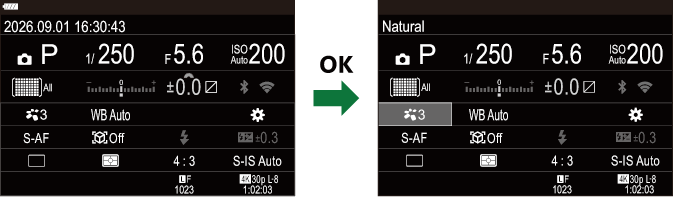
On LV Super Control Panel/Super Control Panel
The LV super control panel/super control panel lists shooting settings and their current values. Use the LV super control panel when framing shots in the monitor (“live view”), the super control panel when framing shots in the viewfinder.
- Pressing the U button switches between viewfinder photography and live view photography.
-
In the following cases, pressing the U button does not switch between viewfinder photography and live view photography.
- the power lever is rotated to n or 0, or
- the mode dial is rotated to ART or SCN
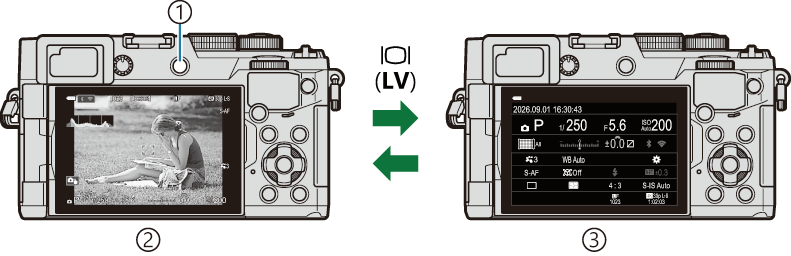
- U (LV) button
- Live view photography
- Viewfinder photography (monitor turns off while viewfinder is on)
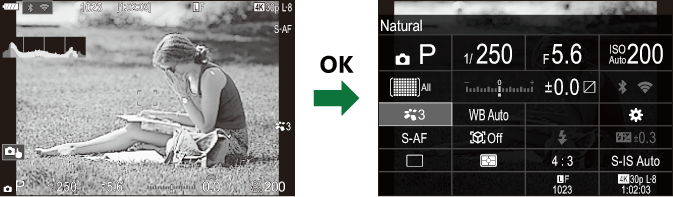
LV Super Control Panel (Live View Photography)
To display the LV super control panel in the monitor, press the OK button during live view.
Super Control Panel (Viewfinder Photography)
When you frame subjects in the viewfinder, the super LV control panel will be displayed in the monitor at all times. Press the OK button to activate the cursor.